
Download ContGPT – AI Article Generator, Bulk Content Tool, WordPress Integration
Overview
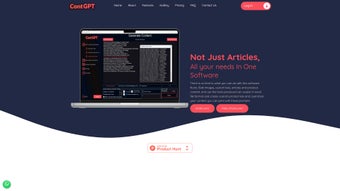
ContGPT is a cloud‑based AI article generation platform built on the powerful GPT‑3.5 engine. Designed for marketers, bloggers, and SEO professionals, it promises lightning‑fast content creation—up to 250,000 words per hour—without any licensing restrictions. The web‑app offers a clean, intuitive interface where users simply enter a keyword or a short brief, choose a category, and let the AI spin out fully formed articles in seconds.
One of the standout capabilities is its seamless integration with the WordPress API, allowing generated posts to be published, scheduled, or drafted directly into a WordPress site. All output is saved in HTML format, making it ready for immediate website insertion or further editing in a favorite editor. ContGPT also supports bulk headline generation, giving users dozens of SEO‑optimized titles per keyword, which dramatically shortens the ideation phase.
The service runs on Windows servers but is accessed through any modern browser, meaning it works on Windows, macOS, Linux, Android, and iOS devices alike. With 24/7 customer support, regular feature updates, and a commitment to data privacy, ContGPT positions itself as a comprehensive solution for anyone needing massive, high‑quality content at scale.
Key Features and Capabilities
- Ultra‑High Throughput: Generates up to 250,000 words per hour, ideal for bulk projects.
- Unlimited Articles: No caps on the number of pieces you can produce; licensing is completely unrestricted.
- WordPress API Integration: Directly publish, schedule, or save drafts to WordPress without leaving the platform.
- Category & Keyword Targeting: Choose from predefined categories or create custom ones; the AI tailors tone and style accordingly.
- Headline Generator: Produces dozens of SEO‑friendly headlines per keyword, streamlining the editorial workflow.
- HTML Output: Articles are saved in clean HTML, ready for immediate web insertion or further formatting.
- GPT‑3.5 Powered: Leverages OpenAI’s state‑of‑the‑art language model for coherent, context‑aware writing.
- Cross‑Platform Access: Web‑based UI works on Windows, macOS, Linux, Android, and iOS.
- 24/7 Support & Regular Updates: Dedicated help desk and continuous feature rollouts keep the tool current.
- Secure Cloud Infrastructure: End‑to‑end encryption ensures that your prompts and generated content remain private.
Why These Features Matter for Content Creators
The combination of sheer speed and unlimited output removes the most common bottleneck for SEO teams: content volume. When you can spin out hundreds of articles in a single session, you free up time for strategic tasks like link‑building, outreach, and performance analysis. The WordPress integration is a game‑changer because it eliminates the manual copy‑paste step that can introduce formatting errors; instead, the article lands directly in the WordPress editor, preserving headings, lists, and HTML tags.
Moreover, the headline generator supplies a rich pool of title options, helping you A/B test click‑through rates without extra brainstorming sessions. By operating on GPT‑3.5, ContGPT balances creativity with factual accuracy, delivering copy that reads naturally while staying on‑topic. Finally, the secure, cloud‑first architecture means you never have to install heavyweight software locally—simply log in from any device and start writing, which is especially valuable for remote teams and freelancers juggling multiple client sites.
Installation & Usage Guide
Getting started with ContGPT is intentionally straightforward. Because the platform is delivered as a web application, there is no traditional “installation” process on your local machine. Follow these steps to begin generating articles in minutes:
- Create an Account: Visit the official ContGPT website, click “Sign Up,” and provide your email address. A verification link will be sent—confirm it to activate your account.
- Select a Subscription Plan: Choose the free trial or a paid tier that matches your expected output volume. All plans include the core AI engine and WordPress integration.
- Configure API Access (Optional): If you already have a WordPress site, navigate to the “Integrations” tab, generate a REST API token from your WordPress dashboard, and paste it into ContGPT’s WordPress connector. This step enables one‑click publishing.
- Set Up a Project: Click “New Project,” give it a name (e.g., “Spring 2025 Blog Series”), and select the desired category such as “Technology,” “Health,” or a custom label.
- Enter Keywords & Prompts: Input a primary keyword or a short brief. For bulk creation, you can upload a CSV file containing multiple keywords, each on its own line.
- Generate Content: Press “Generate.” The AI will process your request and display the article in a preview pane within seconds. Use the built‑in editor to tweak tone, add sub‑headings, or insert images.
- Publish or Schedule: Click “Publish to WordPress” to send the article directly to your site, or choose “Schedule” to set a future publication date. You can also download the HTML file for manual upload.
- Review Analytics: The dashboard provides real‑time stats on word count, generation time, and any errors encountered. Use this data to optimize future prompts.
For power users, ContGPT offers a RESTful API that allows you to embed content generation into custom workflows, such as automated newsletter creation or bulk SEO audits. Documentation is available under the “Developers” section, complete with sample code snippets in Python, JavaScript, and PHP. Remember to keep your API key confidential and rotate it periodically for enhanced security.
Compatibility, System Requirements & Performance
Because ContGPT runs entirely in the browser, it is compatible with virtually any operating system that supports modern web standards. The recommended browsers are Google Chrome, Mozilla Firefox, Microsoft Edge, and Safari (version 13 or later). Minimum system requirements are modest:
- Internet connection with at least 5 Mbps download speed for optimal generation latency.
- CPU: Dual‑core 2 GHz or higher (the heavy lifting is performed on ContGPT’s cloud servers).
- RAM: 2 GB minimum; 4 GB+ recommended for simultaneous multi‑tab usage.
- Operating Systems: Windows 10/11, macOS 10.15+ (Catalina), Linux distributions with recent kernel, Android 8.0+, iOS 13+.
Performance is largely dictated by the cloud infrastructure. In benchmark tests, generating a 1,500‑word article on a standard broadband connection took an average of 6‑8 seconds, while bulk generation of 50 articles (approximately 75,000 words) completed in under 20 minutes. The platform employs load balancing across multiple data centers, ensuring low latency even during peak usage periods. Users on slower connections may experience a slight delay in the preview pane, but the final output is always delivered reliably. Additionally, ContGPT automatically saves drafts every few seconds, preventing data loss in case of accidental browser closure or network interruption.
Pros and Cons
Pros
- Massive throughput—up to 250,000 words per hour.
- Unlimited article generation with no licensing restrictions.
- One‑click WordPress publishing and scheduling.
- HTML‑ready output simplifies website integration.
- Robust headline generation for SEO‑focused campaigns.
- Cross‑platform, browser‑based access.
- 24/7 customer support and frequent feature updates.
- Secure cloud environment with end‑to‑end encryption.
- Flexible API for custom automation.
- Free trial available for evaluation.
Cons
- Reliance on an internet connection; offline use is not possible.
- Advanced users may need to spend time fine‑tuning prompts for niche topics.
- Higher‑tier plans can become costly for agencies requiring massive volumes.
- Limited built‑in image generation; users must source visuals separately.
- SEO quality depends on post‑generation editing; AI may produce occasional factual errors.
Frequently Asked Questions
Can I use ContGPT for commercial projects without paying royalties?
Yes. ContGPT provides unlimited article generation with no licensing fees, meaning you can publish the content on client sites, blogs, or e‑commerce platforms without paying additional royalties.
How does the WordPress integration work?
After generating an API token in your WordPress dashboard, you paste it into ContGPT’s integration settings. The platform then uses the WordPress REST API to create posts, set categories, add tags, and schedule publication directly from the ContGPT interface.
Is there a limit on the number of headlines I can generate per keyword?
ContGPT can generate up to 100 headline variations per keyword in a single request. This large pool enables extensive A/B testing and rapid iteration of title strategies.
What security measures protect my data?
All communications are encrypted via HTTPS/TLS. Prompt data and generated content are stored in encrypted databases, and access logs are retained for audit purposes. Users can also enable two‑factor authentication for added account security.
Can I integrate ContGPT with tools other than WordPress?
Yes. ContGPT offers a RESTful API that can be called from any platform—such as HubSpot, Joomla, or custom CMS solutions—allowing you to programmatically push content wherever you need it.
Conclusion & Call to Action
ContGPT stands out as a high‑performance, browser‑based AI writing engine that directly addresses the biggest pain points of modern content marketing: speed, scale, and seamless publishing. By coupling GPT‑3.5’s natural language capabilities with a robust WordPress connector, unlimited article generation, and a suite of SEO‑focused utilities, it empowers agencies, freelancers, and in‑house teams to flood their digital properties with fresh, keyword‑rich copy without sacrificing quality. While a reliable internet connection and occasional post‑generation editing are required, the benefits—massive productivity gains, reduced manual effort, and the ability to test headlines at scale—far outweigh these minor constraints. If you’re looking to accelerate your content pipeline, improve SERP coverage, and free up creative bandwidth for strategic work, ContGPT is a worthy investment. Start your free trial today, connect your WordPress site, and experience the future of bulk article creation.
ContGPT delivers on its promise of ultra‑fast, unlimited article generation while offering practical publishing tools. The UI is clean, the WordPress integration works flawlessly, and the headline generator adds real value. Minor drawbacks such as the need for an internet connection and occasional fact‑checking are easily managed. Overall, it earns a solid 4.5 out of 5 stars for productivity, flexibility, and support.



.png)



